Share the work
Send images, videos, and PDFs together in a batch approval flow, then share the link by email, WhatsApp, or any message.
Visual approval, without the chaos
Simply Ok gives agencies, marketing teams, and creative studios one clear place to share assets, collect feedback, and reach a confident sign-off. Clients can open the review link from email, WhatsApp, or any message and approve in their browser. No app required.
For artwork, layouts, social posts, videos, and campaign assets. Client approval works in any browser.
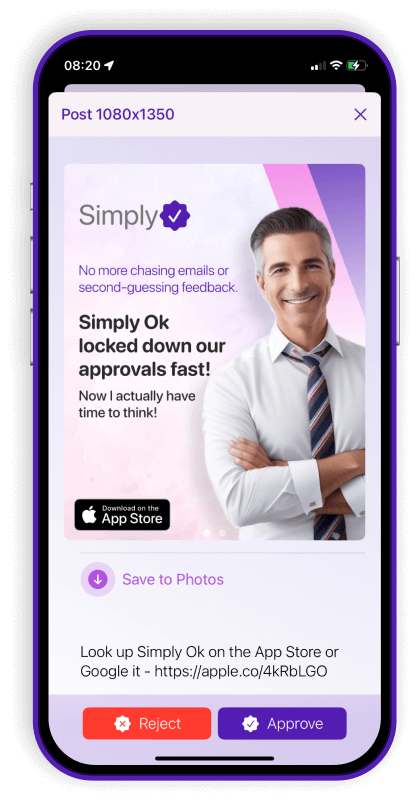
A better review loop
Replace scattered messages and uncertain status updates with a review process your team can understand at a glance. Share one review link and let clients approve in their browser, from any device.
Send images, videos, and PDFs together in a batch approval flow, then share the link by email, WhatsApp, or any message.
Keep comments, per-item chat, tags, and votes attached to the right asset.
See what is pending, approved, or rejected, with the history to prove it.
Made for the work behind the work
The practical tools behind faster creative sign-off, presented with less noise.
Batch approvals
Bring social posts, reels, banners, and campaign assets into one organized approval flow.
Explore visual approval ↗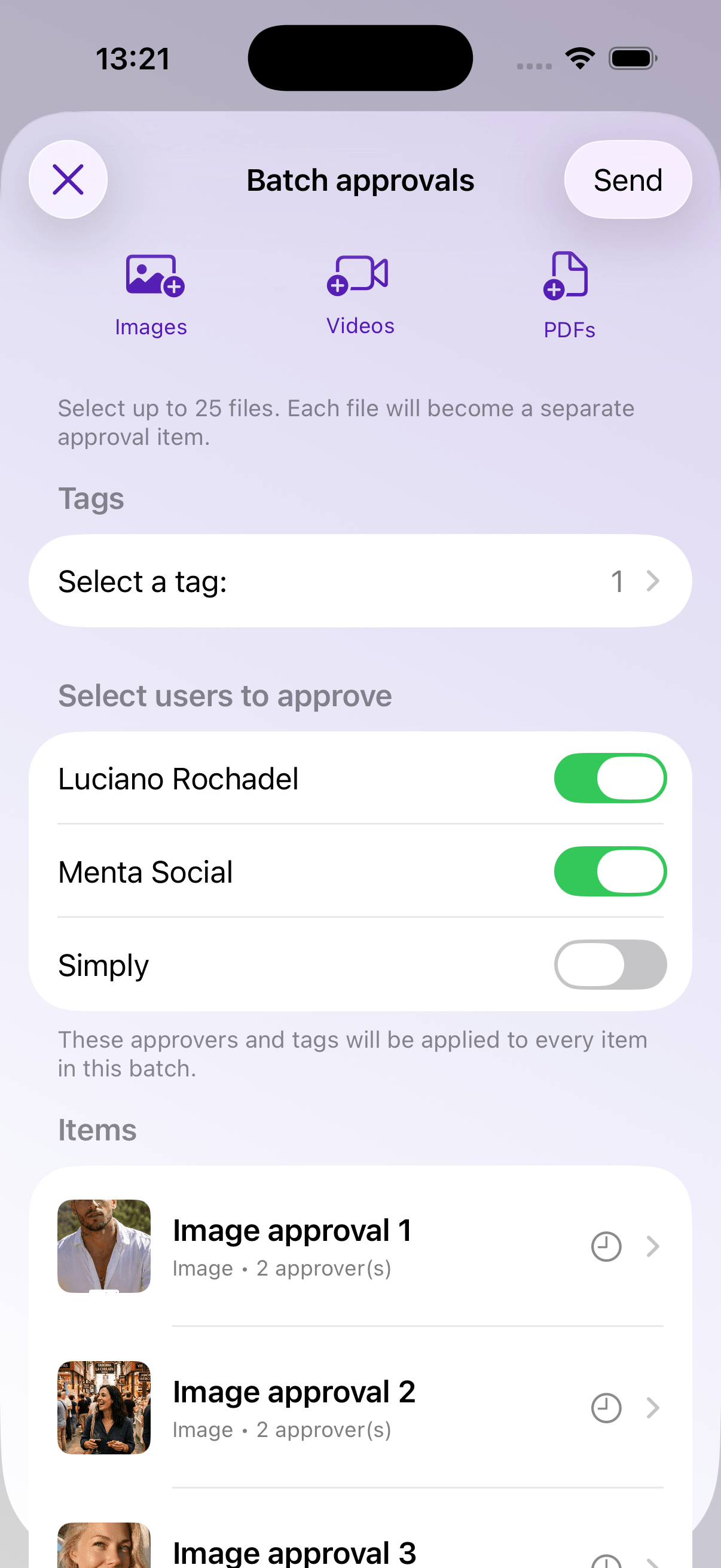
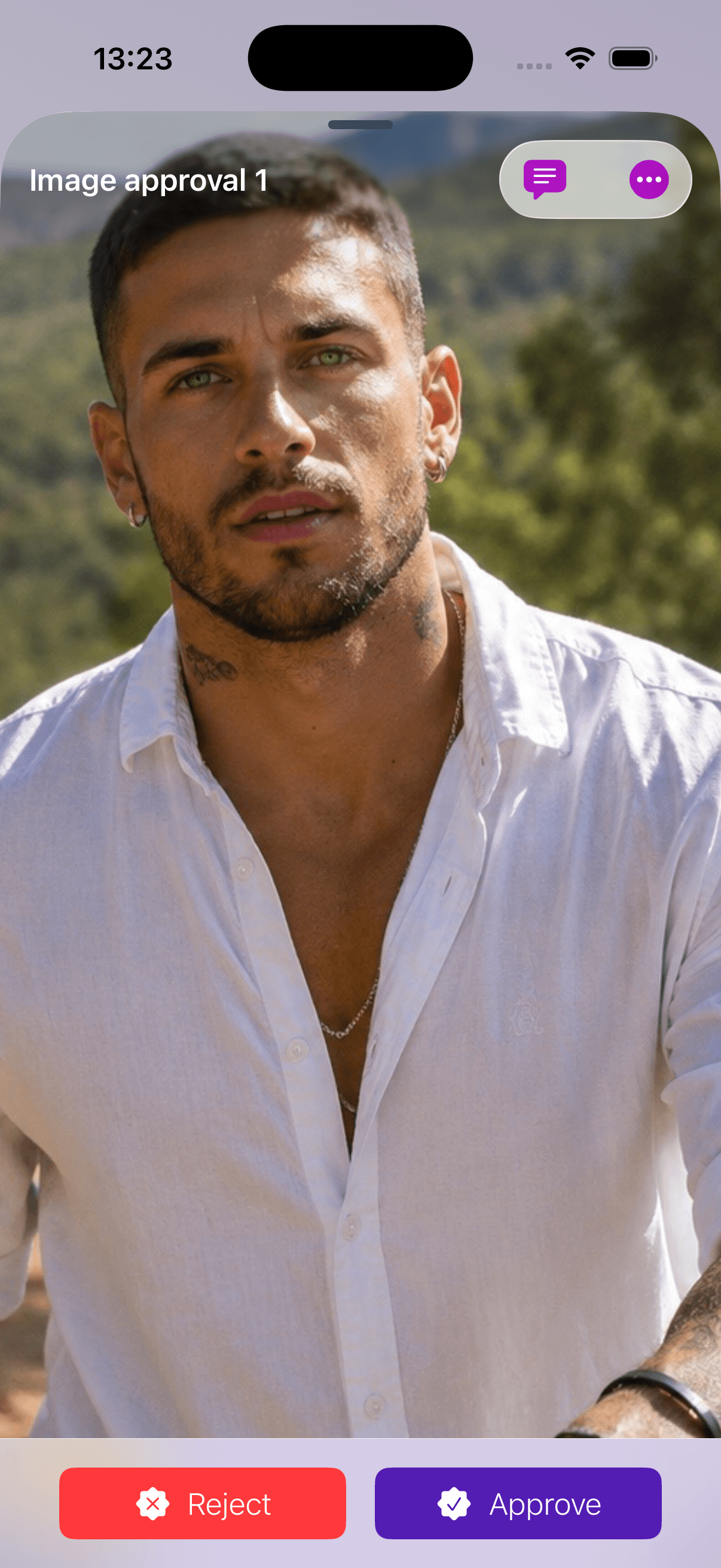
Clarity by default
Comments, votes, read tracking, and approval history make the next step obvious.
Team control
Invite users, assign approvers, use tags, and keep active or inactive collaborators organized.
See artwork review ↗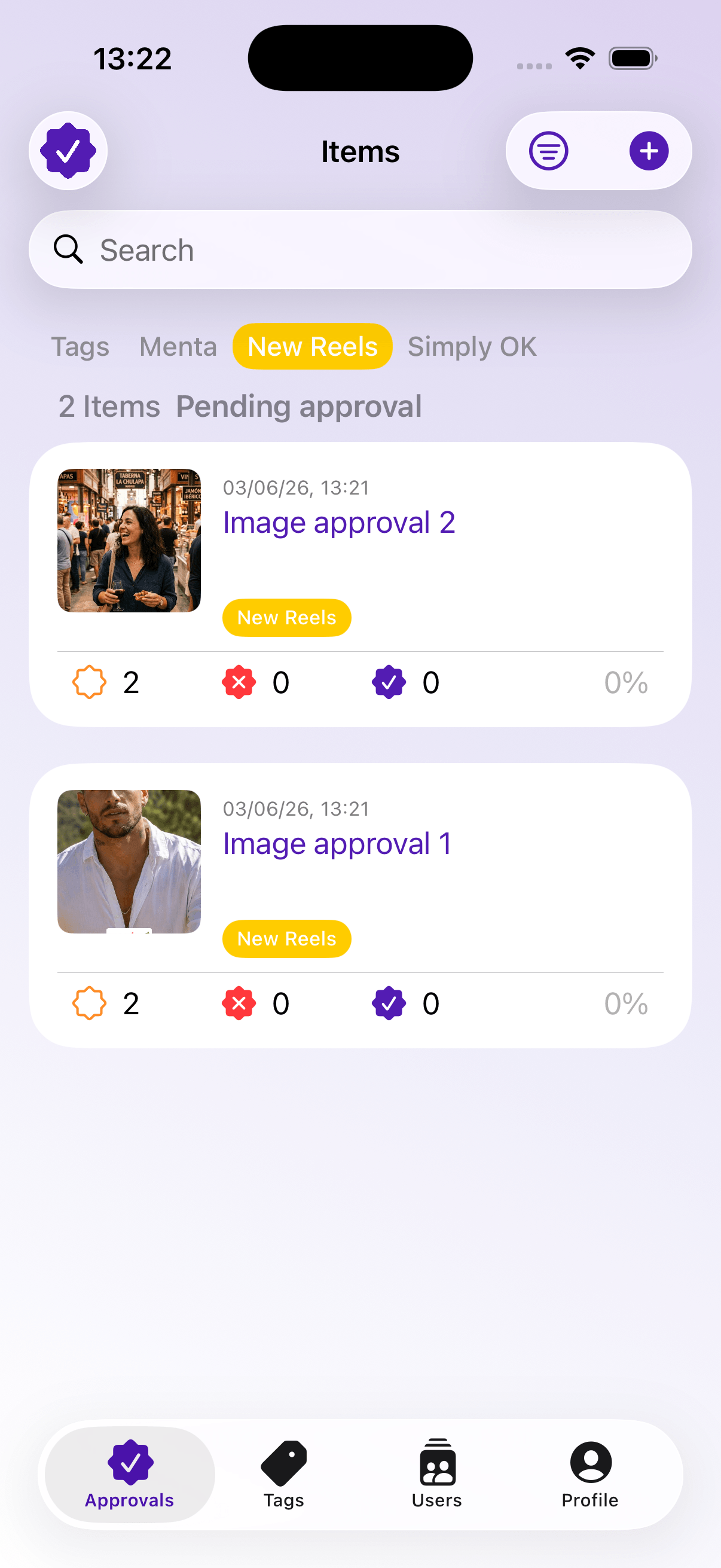
One app, many approval moments
Questions, answered
It is a visual approval app for reviewing artwork, layouts, social content, videos, PDFs, and campaign assets with comments, votes, and sign-off in one place.
Agencies, in-house marketing teams, creative studios, designers, and anyone coordinating visual feedback.
A focused workflow keeps feedback attached to the right item, reduces back-and-forth, and makes approval status easier to trust.